
Introduction
Abaqus is used for solving problems in Computational Fluid Dynamics (CFD) and related multiphysics. It supports GPU as well as CPU execution.
There are multiple versions of abaqus available in the Nova Cluster. There are two ways to use Abaqus.
CLI
Abaqus is available as a module on Nova to be used in a CLI environment.
$ module spider abaqus
-----------------------------------------------------------------------------------------------------------------------------------------------------------------------------------------------------------------
 abaqus:
-----------------------------------------------------------------------------------------------------------------------------------------------------------------------------------------------------------------
    Versions:
       abaqus/6.13
       abaqus/6.14
       abaqus/2016
       abaqus/2017
       abaqus/2019
       abaqus/2021
       abaqus/2022
       abaqus/2023
       abaqus/2024
       abaqus/2025
       abaqus/2026
-----------------------------------------------------------------------------------------------------------------------------------------------------------------------------------------------------------------
 For detailed information about a specific "abaqus" package (including how to load the modules) use the module's full name.
 Note that names that have a trailing (E) are extensions provided by other modules.
 For example:
    $ module spider abaqus/2026
GUI
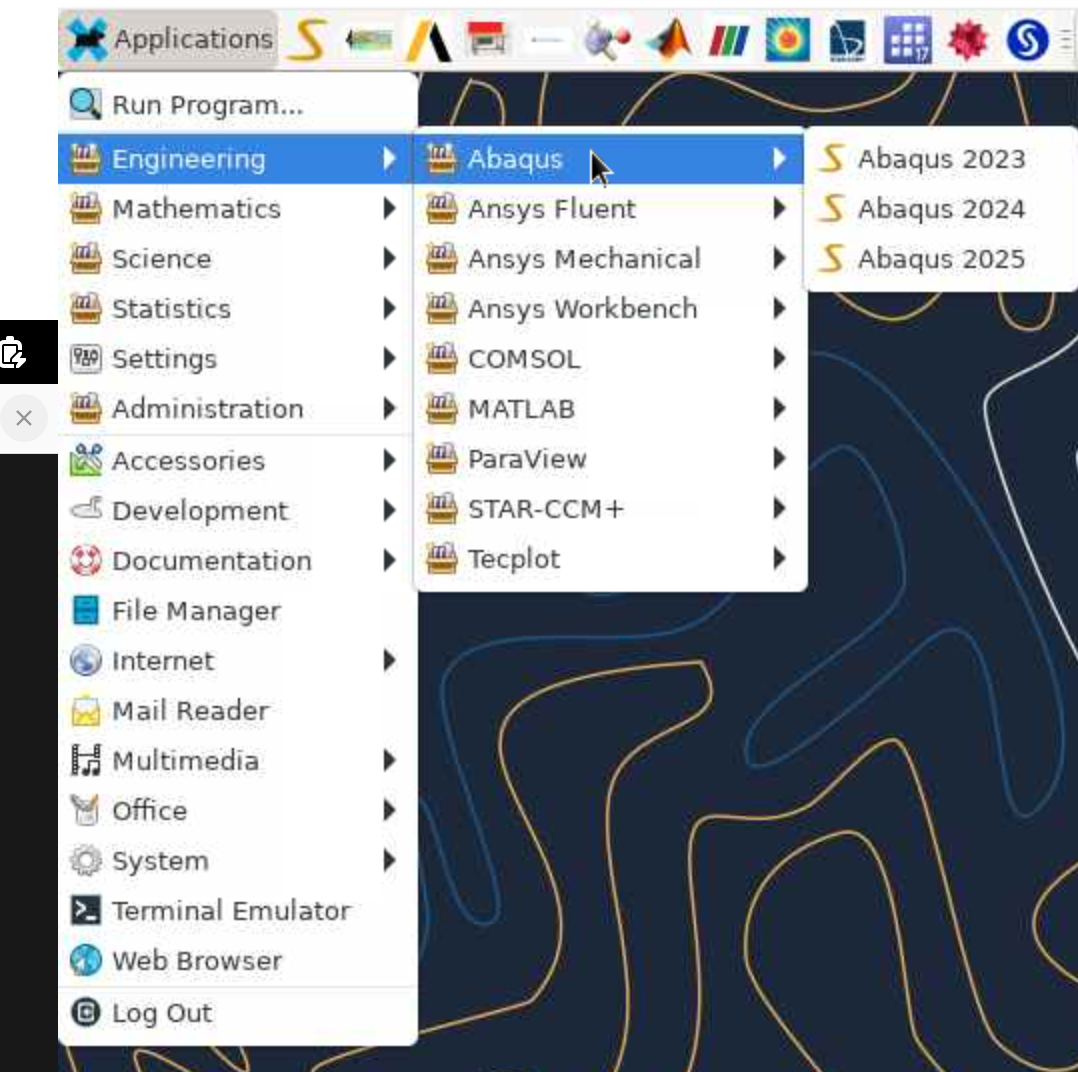
Abaqus can also be loaded in a Interactive Desktop Session. It's available via the menu under Applications->Engineering->Abaqus (version).
GPU Support
Many Abaqus jobs that use a GPU will execute up to four times faster than a job that only uses CPU processors.
Note also that running Abaqus with a GPU still requires CPUs for many operations, particularly with post-processing analysis. It is recommended that you request at least 4 CPUs for each GPU requested.
Sample Batch Script for Abaqus Using a GPU
The following Slurm batch script shows a typical job that uses a GPU.
#!/bin/bash
#SBATCH -J  Scan_ShearWave_1
#SBATCH -D /work/researchit-staff/jedicker/abaqus/testjob
#SBATCH -N 1
#SBATCH -n 32
#SBATCH --partition=nova
#SBATCH --ntasks-per-node=32
# It is a good idea to tell SLURM to use a large amount of memory. 128000 = 128GB.
# 4GB of memory per processor is recommended.
#SBATCH --mem=128000
#SBATCH --time=24:00:00
#SBATCH --error=Scan_ShearWave_1.%j.error
#SBATCH --output=Scan_ShearWave_1.%j.output
#SBATCH --mail-type=BEGIN,FAIL,END
#SBATCH --mail-user=jedicker@iastate.edu
cd /work/researchit-staff/jedicker/abaqus/testjob

# Load the Intel compiler and Abaqus software.
module load abaqus/2025

# Abaqus doesn't support SLURM natively.  So, the script below gets the list of
# allocated hosts from SLURM and uses it to construct the mp_host_list[] variable.
# It copies the global custom_v6.env file from the global Abaqus "site" directory and
# adds the mp_host_list[] line to the bottom of the abaqus_v6.env file in the current folder.
# The number supplied to create_abaqus_mp_host_list.sh is the desired number of procs per node.

create_abaqus_mp_host_list.sh 32

unset SLURM_GTIDS

export I_MPI_HYDRA_BOOTSTRAP=ssh

abaqus interactive analysis job=Scan_ShearWave_1 input=Scan_ShearWave_1.inp cpus=32 mp_mode=mpi memory="90 %"  scratch=/work/researchit-staff/jedicker/abaqus/testjob